Packaging timeline ad with AI: brand anniversary reel step by step
Build a 20-second packaging timeline ad with matching images, first and last frames, macro footage, an editing script and a live PLN/USD budget.
 Piotr Olszewski2026-10-126 minPolski
Six packages, one locked camera and ten seconds of transformations can tell a product's history without narration. Follow the timeline with a close-up, a macro shot and a two-second brand card. Add the years and all lettering in your editor, where changing a date does not require another video generation.
This is a production recipe, not a report of paid model testing. I tested the editing commands locally with dummy footage. A real packaging transformation still needs a separately approved test and budget.
Shot list: 20 seconds, 9:16, 1080x1920
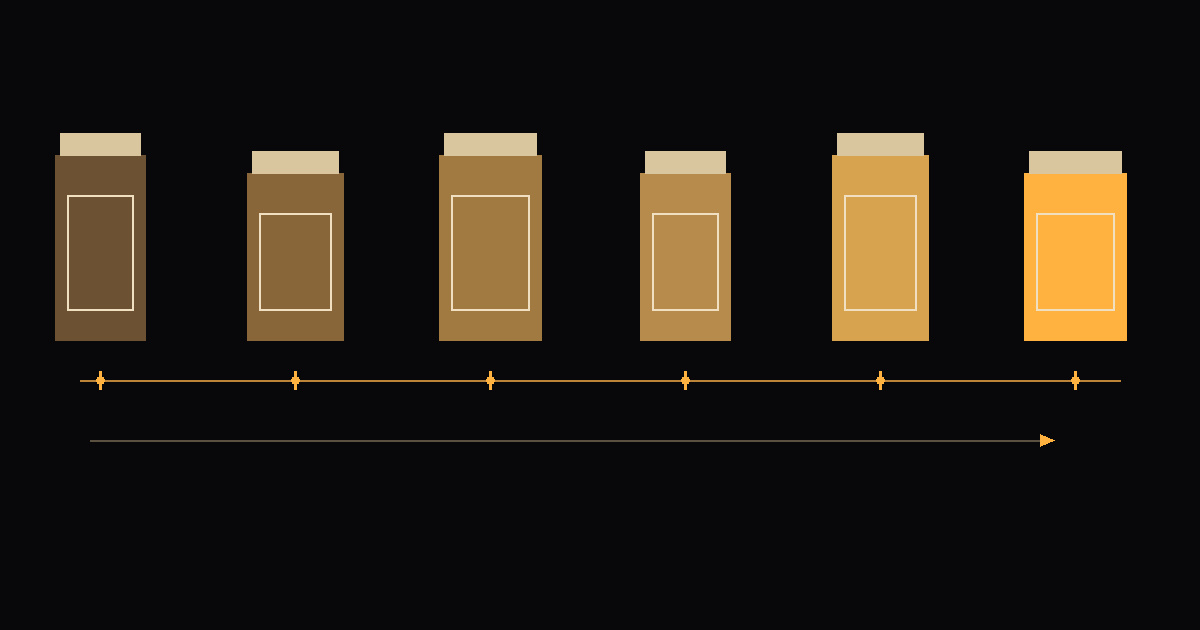
- 0-10 s: six versions of your product linked by five transformations, each lasting 2 s in the edit. Light paper background, fixed framing, a thin horizontal timeline and moving years. Keep motion subtle.
- 10-12 s: push into the thread, cap or another recognizable detail of the final package.
- 12-18 s: macro of the product in use, such as cream emerging from your own tube. Add the product name and anniversary message as text layers.
- 18-20 s: your own logo on an end card. Leave space for the Reels interface.
Use dates supported by the brand's history. Label reconstructed designs as reconstructions in the caption. Do not present invented packaging as an archival object. Use your own product and source files you have permission to use.
Step 1: make six images with one image model
Use GPT Image 2.5 throughout. Approve the first composition and pass that image in image_urls for subsequent versions. Change only the era, material and colors. This model's catalog schema does not expose seed. If you choose a different model that supports it, reuse the seed, but do not treat it as a guarantee of identical framing.
Product photograph of {product}, packaging from {era}, material {material}, colors {colors}. One centered product in a vertical frame. Light matte paper background, soft light from the left, gentle shadow to the right. Locked camera, 85 mm lens, straight-on view, fixed product scale and baseline. Entire package visible, free space above and on both sides. Preserve the composition and position of the reference image. No lettering, dates, third-party logos or extra objects.- Write six briefs, for example 1976, 1986, 1996, 2006, 2016 and 2026, only when those dates fit your brand.
- Compare the product's height, center and baseline before paying for video. Correct mismatches at the image stage.
- Use the supported portrait preset
1024x1536and pad it to 9:16 without cropping. Current Jantaris validation accepts predefined image sizes; do not submit a custom size. - Keep quality settings consistent. Composite exact labels and logos from brand artwork in the editor.
Current price per image: $0.0432 per image. The Packaging timeline Studio starter provides the first image prompt.
Step 2: animate each pair of frames
Pass each neighboring pair as image_url and end_image_url. Both images need the same aspect ratio and product placement. Check get_model first: image-to-video support alone does not imply support for an end frame.
| Model | Current unit price | What to inspect in a trial |
|---|---|---|
| Seedance 2.5 | from $0.261 per second | Center and silhouette stability at both ends; frame pairs use adaptive aspect ratio |
| Kling 3.0 | from $0.169 per second | Cap geometry and unwanted extra objects; switch audio off for this silent workflow |
| PixVerse V6 | from $0.0405 per second | Whether a major material change becomes an indistinct dissolve; compare the same image pair |
The live budget table below separately calculates a 5-second 1080p silent clip for each model. An advertised unit price starting at the cheapest setting is not the price of that clip. This compares supported controls and budget, not measured visual quality. I have not run paid trials for this guide.
{
  "model": "seedance-2.5",
  "input": {
    "prompt": "Locked camera. One centered product smoothly transforms from the first packaging design into the last. Preserve its position, overall size, lighting and paper background. Subtle rotation only. No cuts, no new objects, no text.",
    "image_url": "https://your-domain.com/era-1.png",
    "end_image_url": "https://your-domain.com/era-2.png",
    "duration": 5,
    "resolution": "1080p",
    "aspect_ratio": "adaptive",
    "generate_audio": false
  }
}
Replace the placeholder URLs with your own accessible files before submitting anything. Five clips at 5 s provide 25 s of source footage. Speed each clip up to 2 s for the timeline. Billing covers the 25 generated seconds, even though this part of the edit lasts 10 s.
Step 3: push-in and macro
Use the last package image as the reference for the push-in. Seedance 2.5 has a minimum duration of 4 s, so generate 4 s and select 2 s in editing. Generate the macro as a separate 6-second shot. Match the closure, colors and light to the final timeline package.
Push-in: slow precise camera movement towards the closure of the reference product. Keep the same soft light and paper background. Packaging geometry stays unchanged. No text, no cuts.
Macro: extreme close-up of the same closure. A small amount of cream slowly emerges from the opening, forming a soft rounded shape. Realistic viscosity, focus on the edge, fixed lighting, no lettering.
For another product category, replace the cream action with its real use. Avoid depicting properties the product does not have.
Step 4: the end card
Build the card locally from your existing logo, background color and anniversary message. No AI generation is needed. Alternatively, generate a seventh image as background only and composite the actual logo later. The budget includes that optional image; omit its row when making the card locally.
Step 5: edit the clips and add the timeline
Normalize frame rate, dimensions and pixel aspect ratio before concatenation. I tested this command on dummy footage. It keeps the complete frame and adds padding:
ffmpeg -i transition-1.mp4 -vf "trim=duration=5,setpts=0.4*(PTS-STARTPTS),fps=30,scale=1080:1920:force_original_aspect_ratio=decrease,pad=1080:1920:(ow-iw)/2:(oh-ih)/2:color=0xF2EFE8,setsar=1" -an -c:v libx264 -pix_fmt yuv420p transition-1-short.mp4Apply it to all five transitions. Trim the push-in to 2 s, macro to 6 s and end card to 2 s, then join them in that order. The complete editing script performs the process in one call:
bash packaging-timeline-montaz.sh input reel.mp4 5- The input directory contains
transition-1.mp4throughtransition-5.mp4,push.mp4,macro.mp4andoutro.png. - UTF-8 text files
years.txt,title.txtandtagline.txtcontain the timeline years, macro title and closing message. - The default font is Arial on Windows. On macOS/Linux, set
FONT_FILEto the path of a suitable TTF file. - The script draws a line and moves the years with
drawtext. Fine-tune exact date alignment in an editor if needed. - Output is silent. Add owned or licensed music separately; music generation is excluded from the budget.
- Inspect each cut and each transformation's final frame. Faster playback can expose geometry errors.
Whole-reel budget
The table below is calculated from the catalog when this page loads, in PLN including VAT and in USD. It includes 6 images, 5 transformations of 5 s each, a 4-second push-in, a 6-second macro and an optional end-card background. Successful outputs rejected during editing still cost money. Failed generations are free. Retries and music are excluded.
Check the calculator, pricing and MCP guide before submitting work. The packaging_timeline MCP recipe requires a total estimate and approval before generation. Once an actual frame URL becomes available, estimate the exact dependent input again: confirmation tokens are tied to the input and expire after 15 minutes.
FAQ
Should I generate dates and lettering inside the video?
No. Add years, the message and the logo as editable layers. This avoids lettering that changes shape during a transformation.
Does a fixed seed guarantee matching packaging?
No. It only helps in models that support it and does not replace a reference image. GPT Image 2.5 in this catalog uses image_urls and has no seed input.
Does a 20-second reel cost the same as 20 seconds of video?
Not in this recipe. It generates 35 seconds of footage plus 6 or 7 images, then edits the result down to 20 seconds. Additional successful attempts are charged separately.
Can MCP handle the entire process?
MCP can find models, estimate costs and run approved generations. Download and edit the files locally. The recipe requires cost approval before generation.
Budget from the current catalog
1080p, audio off. PLN includes VAT; USD excludes taxes. Each row totals the stated number of tasks, without retries or music.
| Stage | Model | Count | PLN | USD |
|---|---|---|---|---|
| Era images | GPT Image 2.5 | 6 | 1,52 zł | $0.26 |
| Transformations (5 s each) | Seedance 2.5 | 5 | 146,97 zł | $25.40 |
| Push-in (4 s generated) | Seedance 2.5 | 1 | 23,52 zł | $4.06 |
| Macro (6 s) | Seedance 2.5 | 1 | 35,27 zł | $6.10 |
| Optional end-card background | GPT Image 2.5 | 1 | 0,254 zł | $0.0432 |
| Total including optional end-card background | 207,54 zł | $35.87 | ||
5-second transformation price comparison
| Model | PLN | USD |
|---|---|---|
| Seedance 2.5 | 29,39 zł | $5.08 |
| Kling 3.0 | 6,30 zł | $1.09 |
| PixVerse V6 | 4,68 zł | $0.81 |