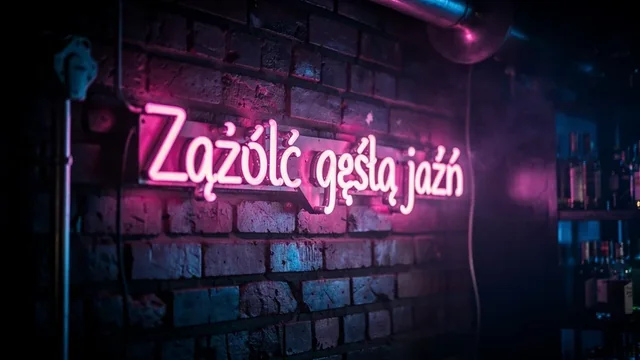
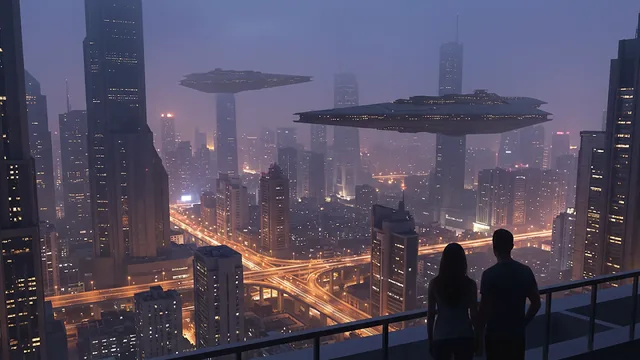
GPT Image 2 is OpenAI's April 2026 image model, the one behind ChatGPT Images 2.0. It handles text-to-image and image-to-image with up to 16 reference images. Its strength is format range: 16 aspect ratios, from 1:1 and 16:9 to 21:9, 3:1 and 1:3, and three resolution tiers, 1k, 2k and 4k. At 4K a 16:9 image is 3840x2160 and a square one 2880x2880. Prompts can run to 32,000 characters in English or Chinese.
Best for
- Panoramic website heroes and banners at 21:9 or 3:1
- 4K posters and wallpapers
- One design delivered in several social formats
- Edits guided by a product photo or style sample
Prompting tips
- Use ratio names like
16:9; pixel strings are not accepted on this model. - The default ratio is
1:1. When editing withimage_urls, set a ratio that matches your photo or sendauto. autois rejected at 4k. Choose an explicit ratio for 4K renders.- Long prompts work well for layouts: describe the image zone by zone (top headline, center product, bottom footer).
FAQ
What does the GPT Image 2 API cost?
It is billed at from $0.075 per image. Jantaris returns the estimated cost before the job starts and charges nothing if the generation fails.
What is the maximum resolution of GPT Image 2?
The 4k tier gives 3840x2160 for 16:9 and 2880x2880 for square images. The default is 1k.
Should I use GPT Image 2 or GPT Image 2.5?
GPT Image 2.5 is newer and adds quality levels up to max, but on Jantaris it comes in three sizes up to 1536 px. GPT Image 2 keeps the wider list of named ratios and 1k/2k/4k tiers, so it is the pick for large output.
How to call GPT Image 2 via API
curl https://jantaris.com/v1/generate?wait=60 \
  -H "Authorization: Bearer $JANTARIS_API_KEY" \
  -H "Content-Type: application/json" \
  -d '{
  "model": "gpt-image-2",
  "input": {
    "prompt": "Product photo of a matte black ceramic coffee cup on a travertine table, soft window light, 50mm",
    "aspect_ratio": "1:1",
    "resolution": "1k"
  }
}'
import os, time, requests
API = "https://jantaris.com/v1"
H = {"Authorization": f"Bearer {os.environ['JANTARIS_API_KEY']}"}
task = requests.post(f"{API}/generate", headers=H, json={
"model": "gpt-image-2",
"input": {
"prompt": "Product photo of a matte black ceramic coffee cup on a travertine table, soft window light, 50mm",
"aspect_ratio": "1:1",
"resolution": "1k"
}
}).json()
while task["status"] in ("queued", "running"):
time.sleep(3)
task = requests.get(f"{API}/tasks/{task['id']}", headers=H).json()
print(task["status"], task["cost"], [o["url"] for o in task["output"]])const API = "https://jantaris.com/v1";
const headers = { Authorization: `Bearer ${process.env.JANTARIS_API_KEY}`, "Content-Type": "application/json" };
let task = await (await fetch(`${API}/generate`, {
method: "POST",
headers,
body: JSON.stringify({
"model": "gpt-image-2",
"input": {
"prompt": "Product photo of a matte black ceramic coffee cup on a travertine table, soft window light, 50mm",
"aspect_ratio": "1:1",
"resolution": "1k"
}
}),
})).json();
while (task.status === "queued" || task.status === "running") {
await new Promise((r) => setTimeout(r, 3000));
task = await (await fetch(`${API}/tasks/${task.id}`, { headers })).json();
}
console.log(task.status, task.cost, task.output.map((o) => o.url));Parameters
| Parameter | Type | Allowed | Default |
|---|---|---|---|
prompt * | string | ≤ 32000 chars | |
aspect_ratio | string | auto 1:1 16:9 9:16 4:3 3:4 3:2 2:3 5:4 4:5 2:1 1:2 21:9 9:21 3:1 1:3 | 1:1 |
resolution | string | 1k 2k 4k | 1k |
image_urls | array | max 16 |
The same schema is available from GET /v1/models/gpt-image-2.