











Integrations: Claude Code, Codex, Cursor and more
One Jantaris key is enough for the AI agent in your editor or terminal to write code with Claude, GPT and Gemini models and also generate video, images and music. This page is the map: each tool gets a one-line setup and a link to the full guide.
There are three ways to connect. Pick the one you need or combine them:
- MCP server (
https://jantaris.com/mcp) - the agent gets tools: model list, cost estimate, video and image generation, balance. This is how an agent makes media. Details: MCP server. - Base URL for chat - the tool talks to models through Jantaris instead of the vendor directly. Claude Code uses the Anthropic format (
https://jantaris.com), everything else the OpenAI format (https://jantaris.com/v1). - AGENTS.md file - a description of the Jantaris API dropped into your repo so any agent knows how to call it. Details: AGENTS.md file.
Step 0: API key
- Sign up and top up your balance (minimum $10, card payment).
- Open the dashboard and go to the API keys tab.
- Enter a name such as
claude-codeand set a Monthly limit - $10-20 is plenty to start. - Click Create key and copy the
sk-jt-...key right away. It is shown only once.
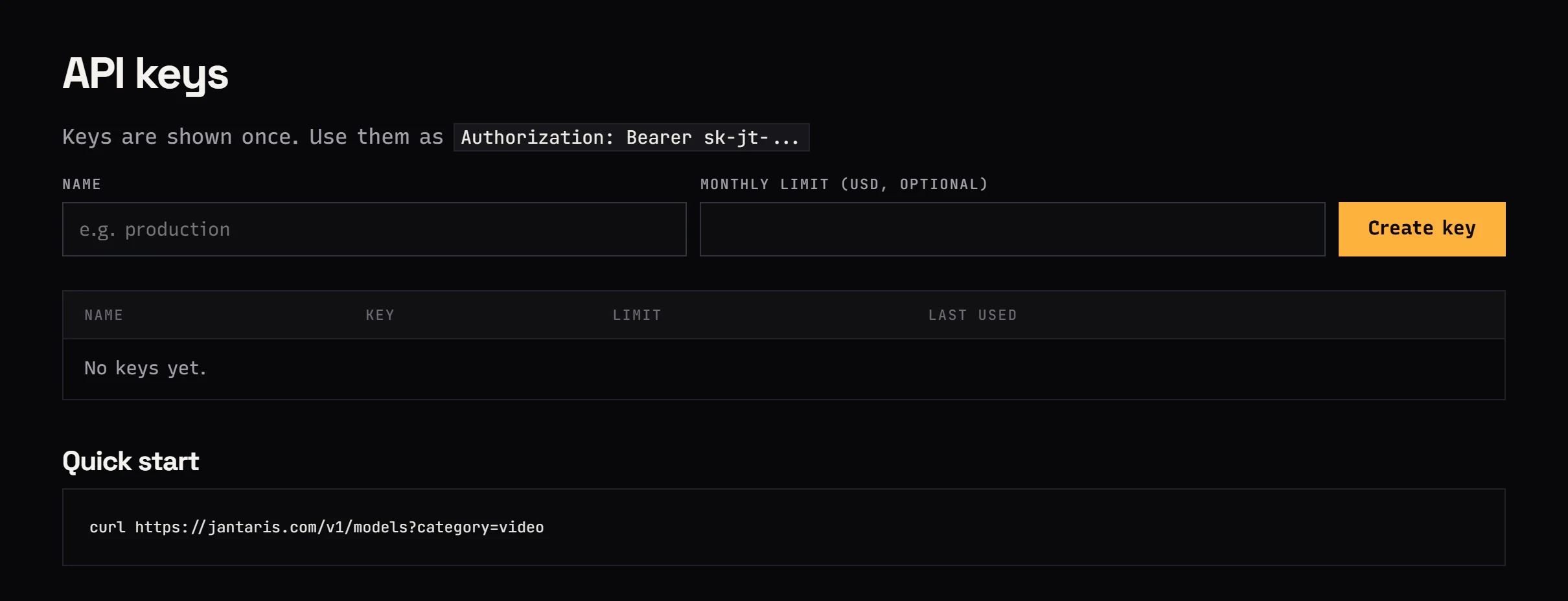
Create a separate key for each tool. If something goes wrong you revoke one key and everything else keeps working.
Tool table
| Tool | Chat through Jantaris | Video and images (MCP) | Guide |
|---|---|---|---|
| Claude Code | ANTHROPIC_BASE_URL=https://jantaris.com + ANTHROPIC_AUTH_TOKEN | claude mcp add --transport http jantaris https://jantaris.com/mcp --header "Authorization: Bearer sk-jt-..." | Claude Code, MCP |
| Codex CLI | no (Codex requires the Responses API, see below) | codex mcp add jantaris --url https://jantaris.com/mcp --bearer-token-env-var JANTARIS_API_KEY | Codex CLI |
| Cursor | Settings, Models: Override OpenAI Base URL https://jantaris.com/v1 | .cursor/mcp.json with url and headers | Claude Code and IDEs, MCP |
| VS Code (Copilot agent mode) | - | .vscode/mcp.json, "type": "http" | MCP |
| Cline | API Provider: OpenAI Compatible, https://jantaris.com/v1 | Remote Servers, Streamable HTTP | MCP |
| Roo Code | API Provider: OpenAI Compatible, https://jantaris.com/v1 | same as Cline | Claude Code and IDEs |
| Claude Desktop and claude.ai | - | Connectors, custom connector with a header | MCP |
| OpenCode | opencode.json, provider @ai-sdk/openai-compatible | opencode.json, "type": "remote" | Claude Code and IDEs |
| Aider | OPENAI_API_BASE=https://jantaris.com/v1 | - | Claude Code and IDEs |
| Zed | language_models.openai_compatible | - | Claude Code and IDEs |
| Continue | apiBase: https://jantaris.com/v1 | - | Claude Code and IDEs |
| n8n, Make, Zapier | OpenAI node or HTTP | HTTP node on /v1/generate | No-code |
| Any agent in a repo | - | - | AGENTS.md file |
A dash means the tool has no such option or I have not verified its setup against the official docs.
A tool that is not in the table
If the app has an "OpenAI-compatible", "custom endpoint" or "base URL" field, enter:
| Field | Value |
|---|---|
| Base URL | https://jantaris.com/v1 |
| API key | sk-jt-... |
| Model | an id from the model list, e.g. claude-sonnet-5, gpt-6-sol, gemini-3.8-flash |
If the app supports remote MCP servers (Streamable HTTP), enter https://jantaris.com/mcp and the header Authorization: Bearer sk-jt-....
Codex and the Responses API
Jantaris supports POST /v1/chat/completions (OpenAI format) and POST /v1/messages (Anthropic format). There is no /v1/responses endpoint. The current Codex CLI only accepts wire_api = "responses" for custom model providers, so you cannot make a Jantaris model the "brain" of Codex. Codex can still use Jantaris over MCP: generate video and images, check prices and ask other models with the chat tool. See Codex CLI with Jantaris.
Check your key in 10 seconds
Before configuring any tool, make sure the key works.
macOS and Linux:
curl https://jantaris.com/v1/balance -H "Authorization: Bearer sk-jt-..."Windows PowerShell:
Invoke-RestMethod -Uri "https://jantaris.com/v1/balance" -Headers @{ Authorization = "Bearer sk-jt-..." }A good response contains your balance, e.g. {"balance":"12.40","available":"12.40","currency":"USD",...}. A 401 means a wrong or revoked key.
Common problems
| Symptom | Fix |
|---|---|
401 | Check that the key starts with sk-jt- and has no trailing space. Revoked keys stop working |
402 | Balance too low. Top up in the dashboard |
403 | The key hit its monthly limit. Create a new key with a higher limit |
404 in chat | Model id not in the catalog. Check spelling in Models |
| MCP server "failed" | Check the URL (ends with /mcp) and the header Authorization: Bearer ... with the word Bearer and a space |