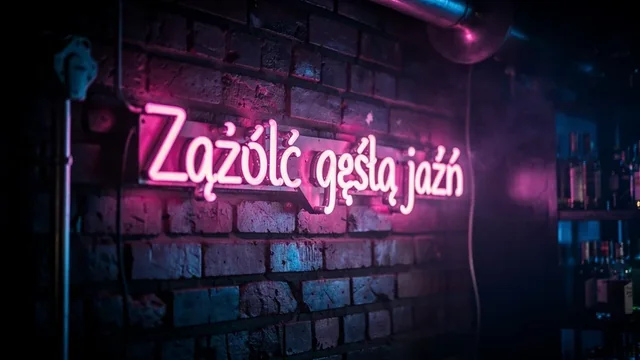
MAI Image 2.6 is an image model built by Microsoft AI, the team behind Microsoft's in-house models. It turns a prompt into one PNG per request, at 1K or 2K, in one of 13 aspect ratios from 4:1 to 1:4, or auto, where the model picks a frame for the content. It also edits photos from up to 5 reference images. When editing, the model chooses the output frame itself, usually around one megapixel, so the aspect ratio and resolution settings apply to text-to-image only.
Best for
- Product shots and scenes in a studio photography style
- 2K graphics for articles and presentations
- Wide 4:1 banners and tall 1:4 strips
- Prompt-based photo fixes guided by a few references
Prompting tips
- Describe the scene like a brief for a photographer: subject, background, light, framing.
- Don't count on a specific output format when editing - the model fits the frame to the references.
- With
autothe model picks a format from the description, so if you need 16:9, set it explicitly. - Move to 2K once the 1K version is approved.
FAQ
How much does MAI Image 2.6 cost?
The price depends on resolution: from $0.0934 per image. Both rates, 1K and 2K, are in the table on this page and in pricing. Failed generations are free.
Can MAI Image 2.6 make several images at once?
No, one request returns one image. Request variants separately, ideally through POST /v1/generate with a webhook_url - see the docs.
Why does an edited image have a different format than I set?
When editing from references, MAI Image 2.6 chooses the output dimensions from the photo. The aspect ratio and resolution settings apply when generating from text alone.
How to call MAI Image 2.6 via API
curl https://jantaris.com/v1/generate?wait=60 \
  -H "Authorization: Bearer $JANTARIS_API_KEY" \
  -H "Content-Type: application/json" \
  -d '{
  "model": "mai-image-2.6",
  "input": {
    "prompt": "Product photo of a matte black ceramic coffee cup on a travertine table, soft window light, 50mm",
    "aspect_ratio": "1:1",
    "resolution": "1K"
  }
}'
import os, time, requests
API = "https://jantaris.com/v1"
H = {"Authorization": f"Bearer {os.environ['JANTARIS_API_KEY']}"}
task = requests.post(f"{API}/generate", headers=H, json={
"model": "mai-image-2.6",
"input": {
"prompt": "Product photo of a matte black ceramic coffee cup on a travertine table, soft window light, 50mm",
"aspect_ratio": "1:1",
"resolution": "1K"
}
}).json()
while task["status"] in ("queued", "running"):
time.sleep(3)
task = requests.get(f"{API}/tasks/{task['id']}", headers=H).json()
print(task["status"], task["cost"], [o["url"] for o in task["output"]])const API = "https://jantaris.com/v1";
const headers = { Authorization: `Bearer ${process.env.JANTARIS_API_KEY}`, "Content-Type": "application/json" };
let task = await (await fetch(`${API}/generate`, {
method: "POST",
headers,
body: JSON.stringify({
"model": "mai-image-2.6",
"input": {
"prompt": "Product photo of a matte black ceramic coffee cup on a travertine table, soft window light, 50mm",
"aspect_ratio": "1:1",
"resolution": "1K"
}
}),
})).json();
while (task.status === "queued" || task.status === "running") {
await new Promise((r) => setTimeout(r, 3000));
task = await (await fetch(`${API}/tasks/${task.id}`, { headers })).json();
}
console.log(task.status, task.cost, task.output.map((o) => o.url));Parameters
| Parameter | Type | Allowed | Default |
|---|---|---|---|
prompt * | string | ||
aspect_ratio | string | 1:1 4:3 3:4 3:2 2:3 16:9 9:16 2:1 1:2 21:9 9:21 4:1 1:4 auto | 1:1 |
resolution | string | 1K 2K | 1K |
image_urls | array | max 5 |
The same schema is available from GET /v1/models/mai-image-2.6.