











AI Music Video - How to Make a Clip for Your Song
How to make an AI music video: a Mureka V9 song or your own track, the Music Video 1.0 model or video-model shots, editing to the beat and the cost.
 Piotr Olszewski2026-10-029 minPolski
There are two ways to make a music video with AI. The fast one: send an MP3 (10-300 seconds) and 1 to 7 character or style images to Music Video 1.0, and it returns a clip synced to the track, billed at from $0.11 per second for every second of the song. The controlled one: generate separate shots in video models such as Seedance 2.5 or Kling 3.0 and cut them to the beat yourself. The song can be your own or made in Mureka V9 ($0.124 per song). Below: both routes step by step, what a 3-minute clip costs, and the limits to know before you start.
Two routes
| Music Video 1.0 | Video-model shots + editing | |
|---|---|---|
| Input | MP3 10-300 s + 1-7 reference images | prompts, first frames, references |
| Sync to music | done by the model | done by you in the edit |
| Shot control | prompt up to 3,000 chars, the rest is the model's call | full, shot by shot |
| Output length | equals the song | anything |
| Billing | per second of the song | per second of every shot and retake |
| Best for | quick visualizers, vertical clips | story-driven videos with a performance |
Step 1: the song
Your own track
You need an MP3. Music Video 1.0 takes songs from 10 to 300 seconds, so five minutes is the ceiling. Convert a WAV with one command:
ffmpeg -i song.wav -b:a 320k song.mp3Jantaris Studio accepts MP3 and WAV uploads up to 25 MB through Upload file. Uploads are deleted after 30 days, so keep the master on your side.
A song from Mureka V9
No track yet? Mureka V9 writes a full song with vocals from two fields: a style prompt and lyrics with section tags such as [Verse] and [Chorus]. It is billed per song, not per second.

Two things that matter for the video:
- Length. Mureka has no duration parameter; length follows the lyrics. Aim for two to three minutes for YouTube, a chorus is enough for a vertical clip.
- Language. Mureka V9 lists ten singing languages, English among them. More in the Mureka V9 music API guide.
Lock the final version of the song before you generate a single frame. Changing the mix or length after editing means moving every cut.
Step 2: character and style
A music video falls apart when the singer has a different face in every shot. Before the first video, I make three to five reference images in one image model: the character from the front, in profile, in the stage outfit, plus one or two frames of the location and color palette. The same images then go into Music Video 1.0 or serve as first frames for video models. The full method is in consistent characters in AI video.
Route A: Music Video 1.0
Music Video 1.0 has these fields on Jantaris:
- Source audio (URL) - your song as MP3, 10-300 s,
- Reference images (URLs) - 1 to 7 character or style images,
- Prompt - optional, up to 3,000 characters: mood, locations, colors,
- Title - a label for the track,
- Aspect ratio - 1:1, 16:9, 9:16, 4:3 or 3:4,
- Resolution - 540P, 720P or 1080P.
Output length equals song length, and the cost is the per-second rate times the song's duration as measured by the server. The rate depends on resolution; see the model page.
How I would start:
- Cut a 15-20 second chorus excerpt (10 s minimum) and render it at 540P. That is the cheapest test of style and references.
- Check that the character holds, that cuts land on the beat, and that no unwanted text appears. The vendor spec mentions optional lyric subtitles, so look at what your output contains.
- Adjust the prompt or references, then render the full song at the target resolution.
curl https://jantaris.com/v1/generate \
  -H "Authorization: Bearer $JANTARIS_API_KEY" \
  -H "Content-Type: application/json" \
  -d '{
    "model": "music-video-1.0",
    "input": {
      "audio_url": "https://example.com/chorus-20s.mp3",
      "image_urls": [
        "https://example.com/singer-front.png",
        "https://example.com/singer-profile.png",
        "https://example.com/city-night.png"
      ],
      "prompt": "Night city, neon reflections on wet streets, the singer walks past empty tram stops, warm amber and teal palette, cinematic.",
      "aspect_ratio": "16:9",
      "resolution": "540P"
    },
    "webhook_url": "https://your-server.example.com/jantaris-hook"
  }'
To be straight with you: I do not have a finished music video from this model yet, so I am not showing output or rating its beat sync and lip movement. The model description does not mention lip sync to vocals. If your singer has to perform to camera, plan those shots through route B.
Route B: video-model shots and editing
Break the song into shots
I start with a shot list built on the song's structure. At 120 BPM one 4/4 bar lasts 2 seconds, so cuts every 2, 4 or 8 seconds land on the beat.
| Section | Time | Shots | Type |
|---|---|---|---|
| Intro | 0:00-0:16 | 2 × 8 s | wide establishing shot, slow camera |
| Verse 1 | 0:16-0:48 | 8 × 4 s | character in the scene, details |
| Chorus | 0:48-1:04 | 8 × 2 s | performance, fast cuts |
| ... | ... | ... | ... |
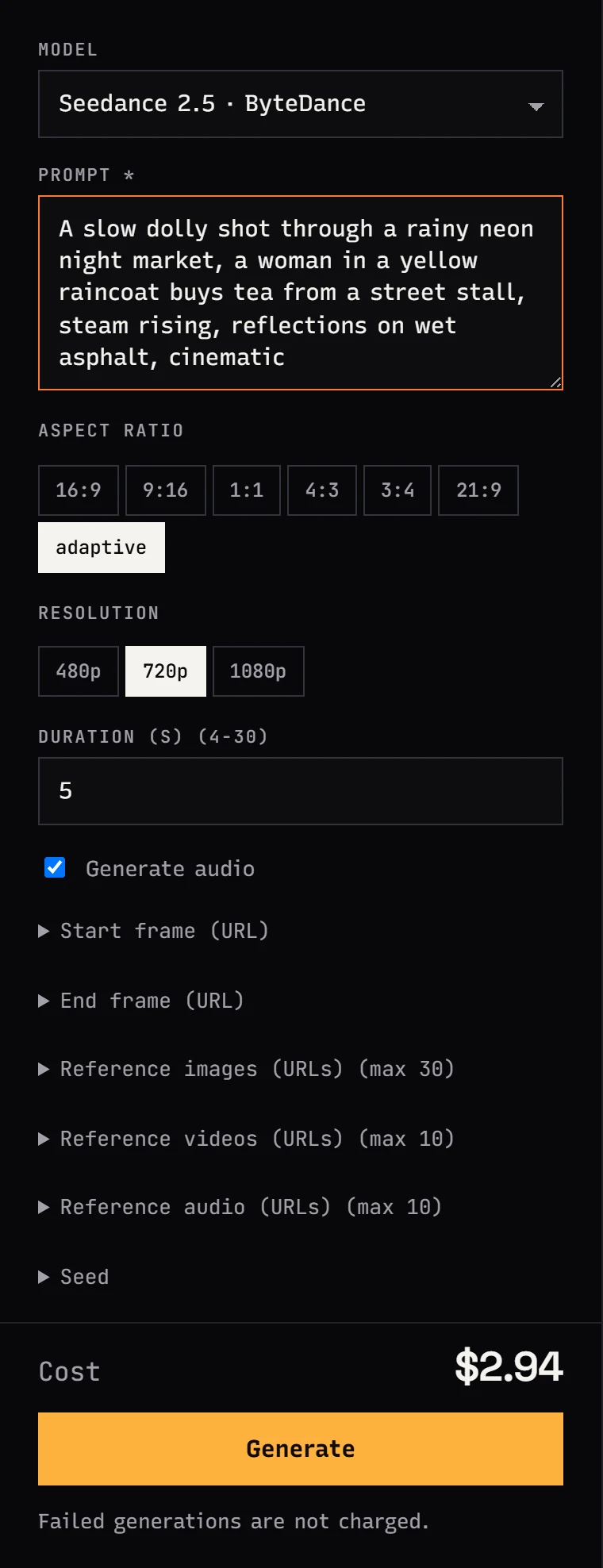
Video models have minimum clip lengths (Seedance 2.5 from 4 s, Kling 3.0 from 3 s, Wan 3.0 from 2 s), so I render 4-5 seconds and trim in the edit.
Which model for what
- Story shots: Seedance 2.5 (4-30 s, up to 30 references), Kling 3.0 (3-15 s, several shots described in one prompt), Wan 3.0 (2-30 s, up to 10 references). Use your step 2 images as first frames.
- Performance to camera: Kling 2.6 Motion Control or Kling 3.0 Motion Control. Film yourself singing along to the track and the model transfers the motion, expressions and mouth onto the character in your image. Billed per second of your recording.
- Audio-driven motion: Wan 2.7 Video takes an image plus an audio file (
image_url+audio_url) and moves the character to the recording. I have not tested how closely it follows sung lyrics.
Kuaishou's Motion Control samples show movement, expressions and lips synced to the reference recording:
For longer story beats, Seedance 2.5 does up to 30 seconds in one take, handy for an intro or a bridge:
For a stylized clip, for example in anime style, fast transitions and bold graphics do much of the work:
Turn off model audio
Video models with sound (Seedance, Kling, Wan) generate their own ambience and music. Your song goes on the soundtrack anyway, so untick Generate audio or add no music to the prompt. On Kling, turning audio off also lowers the rate.
Editing
Free DaVinci Resolve or CapCut is enough. My order of work:
- Put the song on the timeline and mark each section.
- Drop in shots from the list, cutting on bars.
- Keep two or three spare shots per section, because some generations will not make it.
- Grade everything with one look so shots from different models match.
- If the footage is 720p and the video should be 1080p or 4K, run the final shots through Topaz Video Upscaler or Enhance Video 1.0.
What a 3-minute music video costs
180 seconds of music. For route B I assume two attempts per shot, which is realistic.
| Item | Route A: Music Video 1.0 | Route B: Seedance 2.5 + editing |
|---|---|---|
| Song (3 tries) | 3 × $0.124 per song | 3 × $0.124 per song |
| Reference images | 5 × from $0.0747 per image | 30 × from $0.0747 per image (first frames) |
| Excerpt test | 20 × from $0.11 per second | - |
| Video | 180 × from $0.11 per second | 360 × from $0.261 per second |
| Performance (optional) | - | 40 × $0.138 per second |
Prices marked "from" are the lowest resolution: 540P for Music Video and 480p for Seedance. Higher resolutions raise the per-second rate; current rates are on the pricing page. Route A is predictable because you pay once for the song length. Route B costs several times more, but every shot looks the way you planned it. Failed generations cost $0 on both routes.
Limits worth knowing
- Character consistency. The weakest link in every AI music video. References and first frames help, but profiles and fast motion still drift.
- Singing and lips. Video models with their own audio will not sing your song. Film the performance yourself and transfer it with Motion Control.
- On-screen text. Text generated inside video often has errors. Add the title and lyrics in the edit.
- Rights. You need rights to the song and to the images your character is based on. Check your distributor's rules on AI-generated music before release. Vendor filters often reject likenesses of famous people.
- Long tracks. Music Video 1.0 stops at 300 seconds. Longer songs must be split and joined, and the character may look different at the seam.
Prompting individual shots is covered in AI video prompts and camera moves, and the full short-film workflow in how to make an AI video.
FAQ
How do I make an AI music video for my own song?
The quickest way: upload the MP3 and 1-7 character images to Music Video 1.0 and get a clip synced to the track. For control over every shot, generate shots in Seedance 2.5 or Kling 3.0 and cut them to the beat in DaVinci Resolve or CapCut.
How much does an AI music video cost?
Music Video 1.0 charges from $0.11 per second of the song, so three minutes is 180 times that rate, plus the song and reference images. Building from separate shots costs more, because every second of every attempt is billed.
Can AI make a video where the character sings?
Use Kling Motion Control: film yourself singing to the track and transfer the motion, expressions and mouth onto the character from an image. Video models that generate their own audio will not sing your song.
How long can the song be in Music Video 1.0?
10 to 300 seconds, as MP3. Split longer tracks into parts.
Can I make an AI music video for free?
Not on Jantaris: there is no free plan or signup credit, and the minimum top-up is $10. The balance never expires and failed generations cost $0, so a 20-second test at 540P is cheap.
Can I publish an AI music video on YouTube and Spotify?
On YouTube, yes, if you hold the rights to the music and images. For streaming releases of AI music, check the music model vendor's terms and your distributor's rules, since each has its own policy.


