











Generate AI video from Claude Code with MCP
Connect the Jantaris MCP server to Claude Code in one command and make video, images and music in your terminal. Windows, macOS, spend limits, errors.
 Piotr Olszewski2026-10-048 minPolski
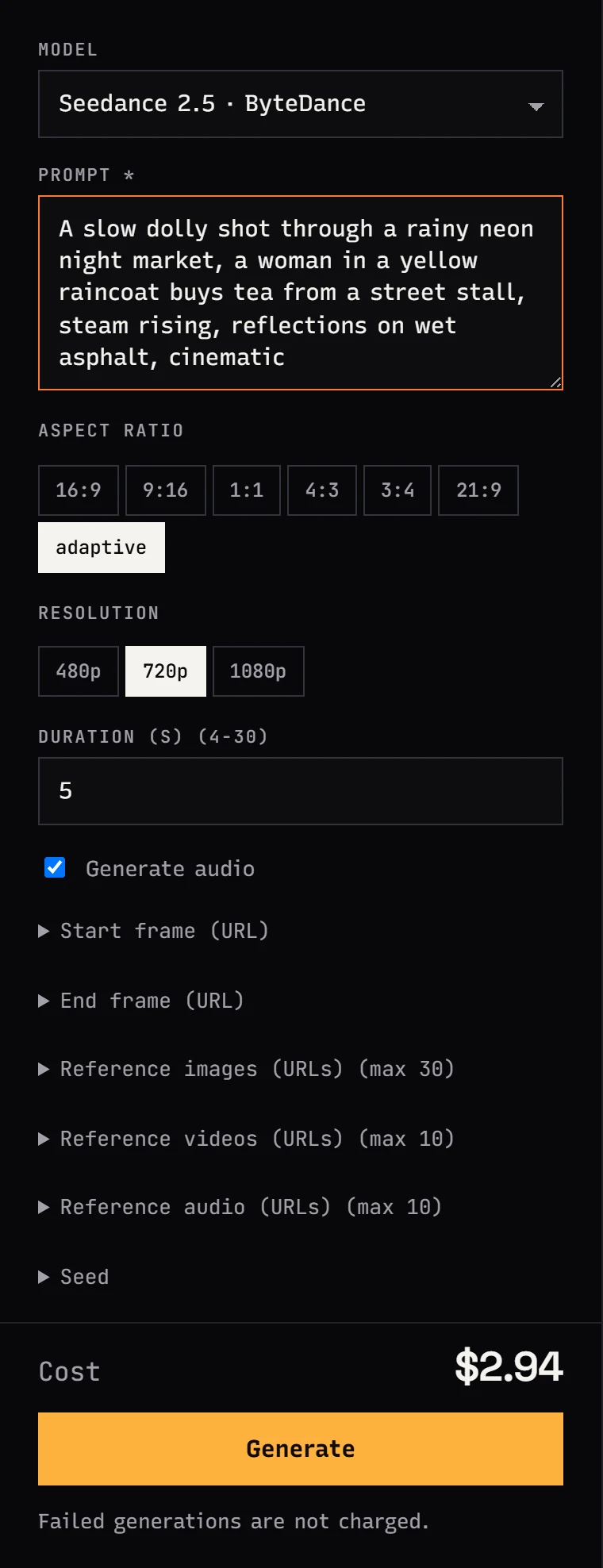
Claude Code can generate video, images and music once you connect the Jantaris MCP server. It takes one command: claude mcp add --transport http jantaris https://jantaris.com/mcp --header "Authorization: Bearer sk-jt-...". Then you type "make a 5-second 9:16 Seedance 2.5 reel" and the agent picks the model, shows the cost and starts the job. Seedance 2.5 costs from $0.261 per second, and failed generations cost nothing.
Below is the whole path from zero: account, a key with a spend limit, the command for Windows and macOS, your first video, saving the file into your project and the errors people hit most often.
What MCP is and why Claude Code needs it
Claude Code is a coding agent in your terminal. It reads files, runs commands and writes code. On its own it cannot make a video or an image, because a language model produces text.
MCP (Model Context Protocol) is a standard that gives an agent extra tools from outside. Think of it as a socket: you plug a server in once, and Claude Code sees the tool list, descriptions and parameters. When a tool would help, it asks for your permission and calls it.
The Jantaris MCP server provides seven tools:
| Tool | Purpose |
|---|---|
list_models | video, image, audio and chat models with unit price |
get_model | parameters of one model: aspect ratios, resolutions, duration |
estimate_cost | quotes a job before it starts, charges nothing |
generate | starts a generation, waits up to 45 seconds for the result |
get_task | task status and file links |
get_balance | what is left on your account |
chat | asks another chat model, e.g. Gemini or GPT |
You still code with Claude. Jantaris gives it hands for media.
Who this is for
- Websites and apps. The agent builds a landing page and immediately makes the hero background, icons or a short clip for the "how it works" section.
- Reel creators who like the terminal. Write the script in a file, and the agent generates shots one by one into a folder.
- Game and pitch prototypes. Placeholder art in minutes without switching to a browser.
- Automations. Claude Code writes a script that calls the Jantaris API, after testing parameters over MCP first.
If you prefer clicking, you can do the same in the browser in Jantaris Studio. MCP is for people who live in the terminal anyway.
Step 1: account and a key with a limit
- Sign up and confirm your email.
- Top up in the dashboard. The minimum is $10 and your balance never expires. No subscription.
- Open the API keys tab.
- In Name type
claude-code-mcp. - In Monthly limit enter an amount the agent can never exceed, e.g.
15. - Click Create key and copy the
sk-jt-...key. It is shown only once.
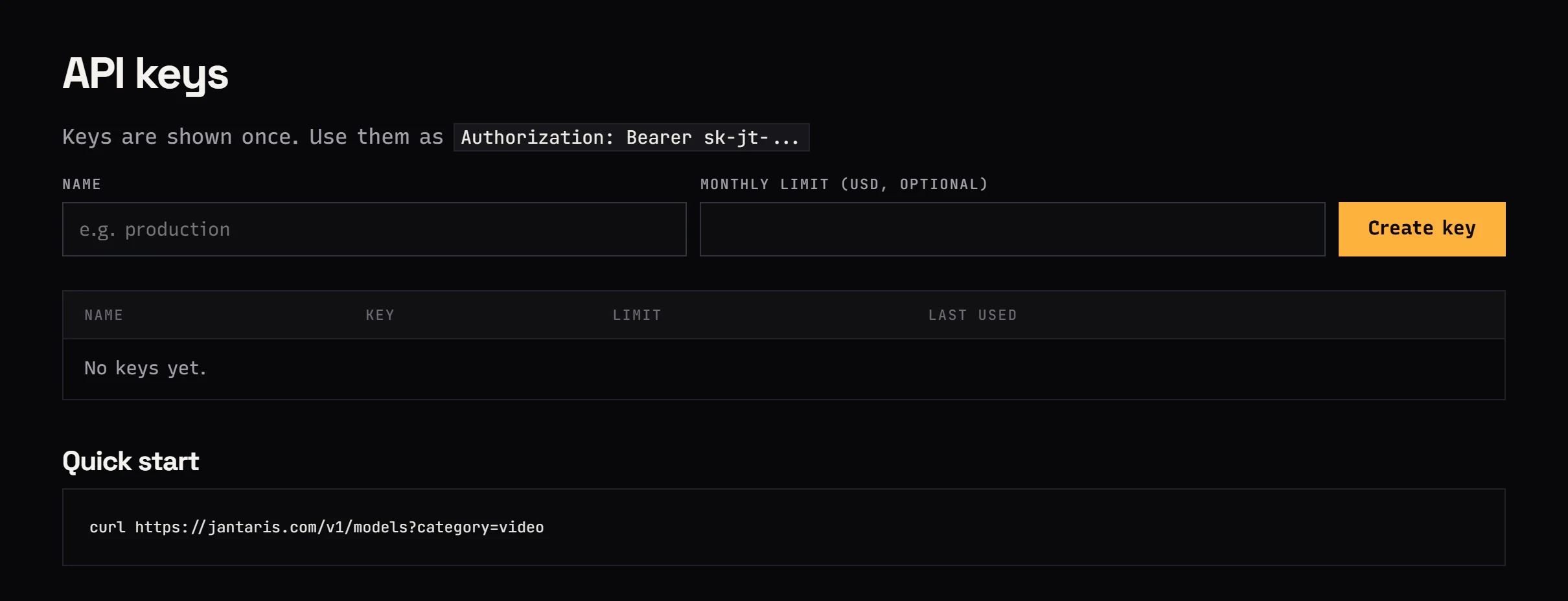
The limit is the most important setting in this guide. An agent with a video tool can start several clips in a row after a vague prompt. When the key reaches its limit, Jantaris answers 403 and nothing more leaves your balance.
Step 2: connect the server
Do you have Claude Code installed? If not, installation is covered in Claude Code cost: pay per token.
Windows (PowerShell)
Open PowerShell in your project folder and paste, replacing the key:
claude mcp add --transport http jantaris https://jantaris.com/mcp --header "Authorization: Bearer sk-jt-..."macOS and Linux
Same command in Terminal:
claude mcp add --transport http jantaris https://jantaris.com/mcp --header "Authorization: Bearer sk-jt-..."By default the server only works in the folder where you added it. Want it in every project? Add --scope user:
claude mcp add --transport http jantaris https://jantaris.com/mcp --scope user --header "Authorization: Bearer sk-jt-..."Verify
claude mcp listjantaris should say Connected. Start claude and type /mcp to see the server and its tools.
One last test that costs nothing:
Use the get_balance tool from the jantaris server and tell me my balance.If Claude Code answers with a dollar amount, you are set.
Step 3: your first video
Paste this into Claude Code:
Make a 9:16 Seedance 2.5 reel, 5 seconds, 720p: morning coffee in a
small cafe, steam over the cup, soft window light. Estimate the cost
with estimate_cost first and wait for my OK.
What happens next:
- Claude Code calls
get_modelforseedance-2.5to check parameter names. - It calls
estimate_costand shows the amount. The estimate is free. - It waits for your "ok". Then it asks permission to call
generate- you see exactly which prompt and parameters it sends. generatewaits up to 45 seconds. Video usually takes longer, so the agent gets a task id (task_...) and checks it a bit later withget_task.- When the task is
succeeded, you get a link to the MP4 file and the actual cost.
If the agent forgets to check the task, say "check the task". If the generation fails, the reserved funds go back to your balance in full.
Save the file into your project
Output links work for a limited time. Ask right away:
Download this video into media/ as coffee-916.mp4.Claude Code will use curl or Invoke-WebRequest and save the file next to your code.
Prompts to copy
A few prompts that show what an agent plus a generator can do:
- "Build a simple cafe website in
index.htmland generate a 16:9 hero background for it with Nano Banana Pro. Cost first." - "Show the 5 cheapest video models with 1080p and their price per second."
- "Generate 3 variants of a 1:1 app icon with GPT Image 2.5, save them in
assets/icons/." - "Read
script.md, turn each scene into a separate 5-second 9:16 clip and give me the total cost before starting." - "Write short lyrics about morning coffee and turn them into a song with Mureka V9."
- "Ask Gemini 3.8 Flash for a second opinion on this component with the chat tool."
Current prices of the models above:
| Model | Price |
|---|---|
| Seedance 2.5 | from $0.261 per second |
| Nano Banana Pro | from $0.0747 per image |
| GPT Image 2.5 | $0.0432 per image |
| Mureka V9 | $0.124 per song |
For a per-second breakdown across models, see AI video cost per second.
Claude Code on Jantaris tokens plus MCP
MCP does not require Claude Code to use Jantaris as its model provider. You can keep an Anthropic subscription for coding and use Jantaris only for media.
You can also point Claude Code itself at Jantaris and pay per token from the same balance. Then one key (or two separate keys with different limits) covers both the model and the generations. Setup is in the Claude Code docs and in Claude Code with a custom base URL.
I recommend two separate keys: one for Claude tokens, one for MCP. The dashboard then shows separately what went into code and what went into video.
AGENTS.md: standing rules for the agent
Tired of adding "show the cost first" to every prompt? Download the ready API description into your project and add your own rules:
curl -fsSL https://jantaris.com/agents.md -o AGENTS.md
echo "@AGENTS.md" >> CLAUDE.md
In PowerShell:
Invoke-WebRequest -Uri "https://jantaris.com/agents.md" -OutFile "AGENTS.md"
Add-Content -Path "CLAUDE.md" -Value "@AGENTS.md"
At the bottom of AGENTS.md add e.g. "Before any video, state the cost and wait for approval. Save videos in media/". Details: AGENTS.md file.
Safety and cost
- Do not always-allow the
generatetool. Claude Code asks before every call, keep it that way. Always-allowinglist_models,get_model,estimate_costandget_balanceis fine, they are free. - Keep the key out of Git. With
--scope projectClaude Code writes the config to.mcp.jsonin your repo, so the key would end up in a commit. Use the default scope or--scope user. - The key limit stops spending no matter what the agent comes up with.
- Failed = $0. If the model rejects the prompt or errors out, the funds come back.
Common errors
| Symptom | Fix |
|---|---|
Failed to connect in claude mcp list | Check the URL (https://jantaris.com/mcp) and the header: Bearer, a space, then the key |
401 | Typo in the key or revoked key. Create a new one and re-add the server (claude mcp remove jantaris, then add) |
402 | Not enough balance. Top up |
403 | The key hit its monthly limit. Create a new key with a higher limit |
422 | A parameter outside the model's range, e.g. a clip that is too long. Ask the agent to run get_model and fix it |
| Agent does not see the tools | Quit and restart claude, check /mcp |
FAQ
Do I need a Claude Pro or Max subscription?
Not for MCP. Claude Code can run on an Anthropic subscription or on Jantaris tokens, and the MCP server works in both cases. Generations are paid from your Jantaris balance.
How much does a 5-second reel from Claude Code cost?
The same as in Studio or over the API: for Seedance 2.5 it is 5 seconds times from $0.261 per second. Add Claude tokens for the conversation with the agent, usually a fraction of the video cost. estimate_cost shows the exact amount before you start.
Will Claude Code spend my money without asking?
Not by default. Claude Code asks for permission before every MCP tool call. On top of that, the monthly limit on the key is a hard ceiling.
Does it work on Windows?
Yes. The claude mcp add command is the same in PowerShell, macOS Terminal and Linux.
Does the Jantaris MCP server work outside Claude Code?
Yes: Codex CLI, Cursor, VS Code, Cline and Claude Desktop. Configs are in the MCP server docs, and Codex has its own guide: Codex CLI with Jantaris.
How long are output links valid?
For a limited time, so tell the agent to download the file into your project right away. Studio keeps your generation history on your account.


