











How to Make an AI Video - A Complete Beginner's Guide
How to make an AI video from scratch: pick a model, write the prompt, set 9:16 or 16:9, length, resolution and audio, check the cost and download the MP4.
 Piotr Olszewski2026-10-029 minPolski
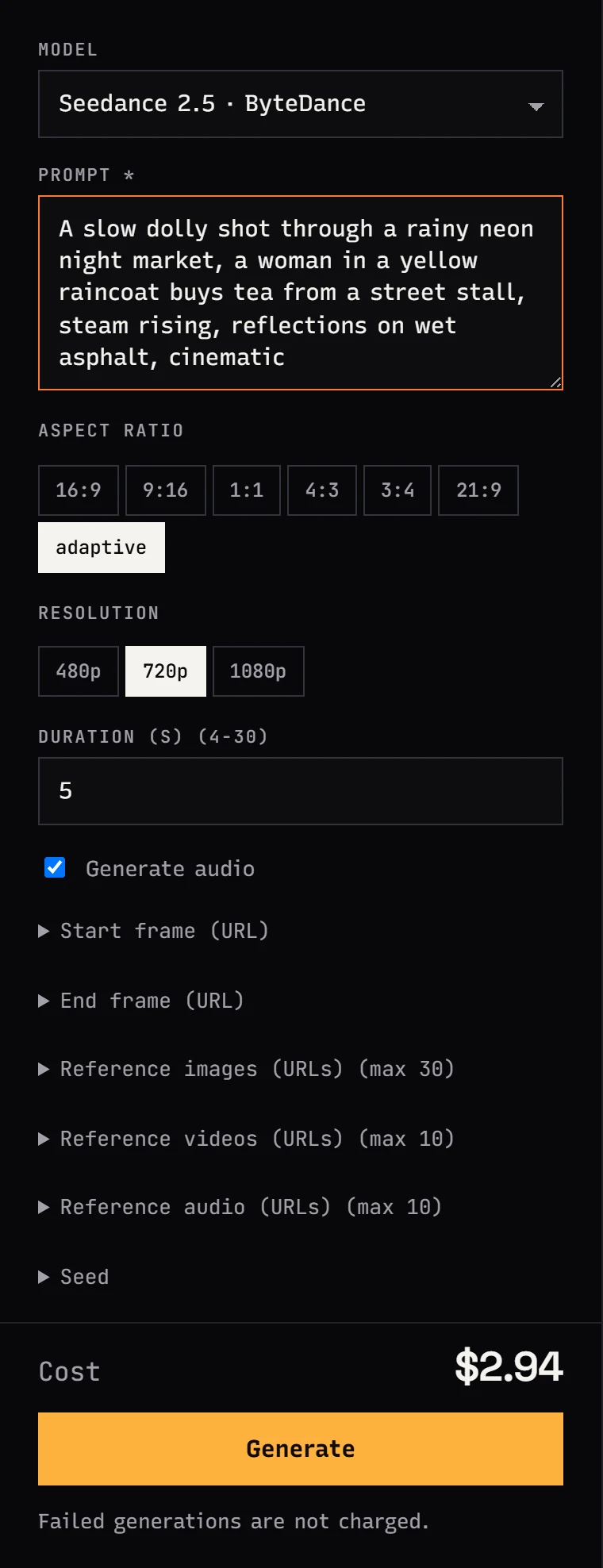
Making an AI video takes six steps: pick a video model, describe one shot in a prompt, set the aspect ratio (9:16 for Reels and Shorts, 16:9 for YouTube), duration, resolution and audio, check the cost, and download the MP4 a minute or a few later. In Jantaris Studio all of it happens in the browser without code. You pay per second of output, for example Seedance 2.5 is from $0.261 per second, and failed generations are free.
This guide goes from zero to a finished short video made of several shots. If you want to start from your own photo instead, read the image-to-video guide.
Can you make an AI video for free?
Not on Jantaris. There is no free tier and no starter credits. You pay from the first generation, the minimum top-up is $10, the balance never expires, and failed generations cost nothing.
Free options do exist at the model vendors themselves. Some of them offer trial or daily credits in their own apps, usually with limits such as queues, lower resolution or a cap on clips. Those terms change often, so check the vendor's site. For a single test clip that route is fine. If you want several models behind one balance, per-second pricing you can see before you click, and an API on the same account, that is what Jantaris is for.
What you need
- a browser, ideally on a computer,
- a Jantaris account (sign up) with a top-up of $10 or more,
- your idea broken into shots of 5-10 seconds each.
The last point matters most. A video model generates one shot at a time, from a few seconds up to 30 depending on the model. A short film is several shots cut together.
Step 1: choose a video model
In Studio open the Video tab and pick a model. There is no single best model, only the right one for the job. My shortlist:
| What you need | Model | Price |
|---|---|---|
| long takes up to 30 s with sound, social clips | Seedance 2.5 | from $0.261 per second |
| a talking character with lip sync | Kling 3.0 | from $0.169 per second |
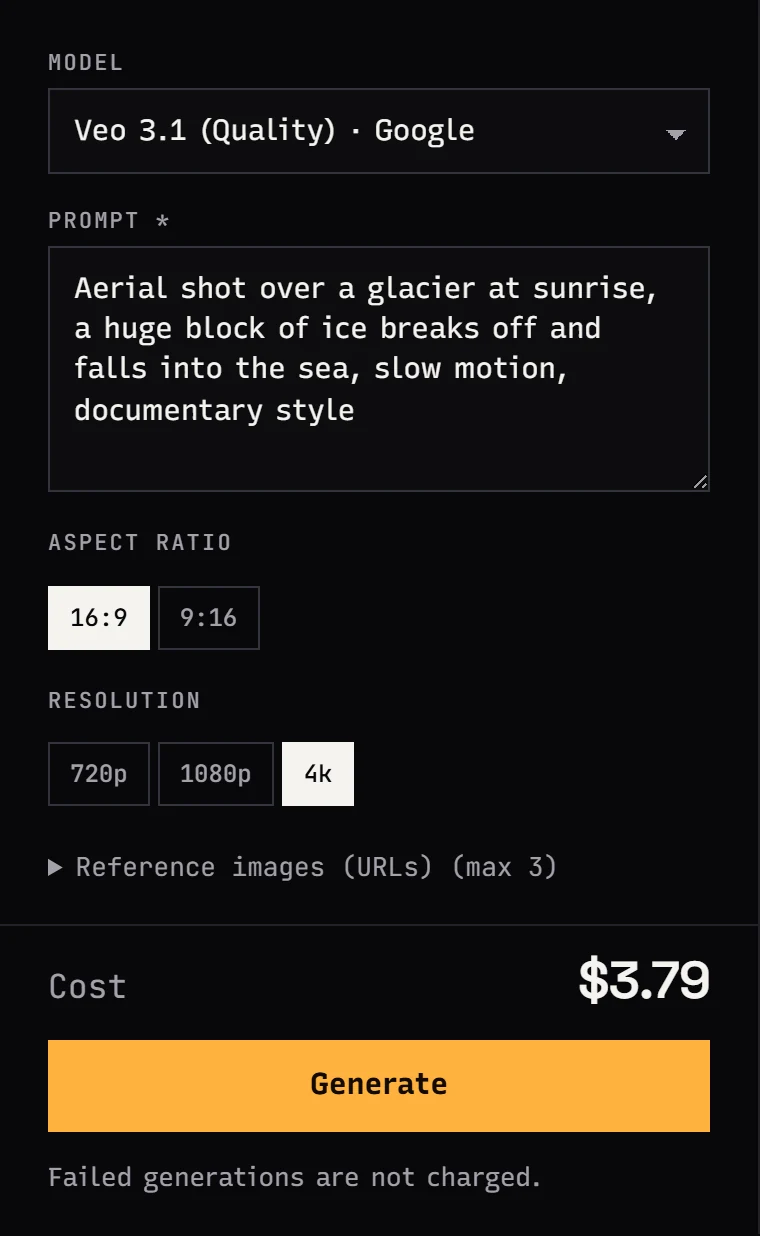
| a polished 4K shot | Veo 3.1 (Quality) | from $2.53 per video |
| 2K footage with stereo audio | MiniMax H3 | from $0.161 per second |
| long takes up to 30 s, 480P to 4K | Wan 3.0 | from $0.0777 per second |
| cheap drafts to test prompts | Seedance 2.0 at 480p | from $0.157 per second |
For a deeper comparison see AI video API comparison 2026 and Seedance 2.0 vs 2.5.

Step 2: write a prompt for one shot
The prompt describes a single shot, not the whole video. A good one has five parts:
- Framing and subject: who or what is in frame, and how close.
- Action: one thing happening.
- Camera move: dolly in, pull back, pan, handheld, or locked-off.
- Light and style: time of day, type of light, mood.
- Sound: what we hear, if audio is on.
The prompt from the Seedance screenshot below:
A slow dolly shot through a rainy neon night market, a woman in a yellow
raincoat buys tea from a street stall, steam rising, reflections on wet
asphalt, cinematic
The full camera-move vocabulary with ready-made templates is in AI video prompts: camera moves.
Step 3: 9:16 or 16:9
Set the aspect ratio for where the video will be published. Cropping a landscape clip to vertical later throws away half the frame.
| Where it goes | Aspect ratio |
|---|---|
| TikTok, Instagram Reels, YouTube Shorts | 9:16 |
| YouTube, websites, presentations | 16:9 |
| Instagram or Facebook feed | 1:1, or 4:5 cropped from 9:16 |
| cinematic intro, letterbox look | 21:9 |
Not every model supports every ratio. Veo 3.1 and Gemini Omni do 16:9 and 9:16 only, Kling 3.0 adds 1:1, and Seedance, MiniMax H3 and Wan 3.0 offer more options plus adaptive, where the model picks the ratio.
Alibaba's official vertical example for Wan 3.0, with the product taken from a reference image:
Step 4: duration
Duration is the setting that moves your bill, because you pay per second. Limits for a single clip:
| Model | One clip |
|---|---|
| Seedance 2.5 | 4-30 s |
| Wan 3.0 | 2-30 s |
| Kling 3.0 | 3-15 s |
| MiniMax H3 | 4-15 s |
| Seedance 2.0 | 4-15 s |
| Veo 3.1 | fixed 8 s |
I always render the first version at the shortest length the model allows. Once motion and framing look right, I render the final length. A 15-30 second social video is 3-4 shots of 5-8 seconds, or one long Seedance 2.5 take.
ByteDance presents 30-second single takes as the headline feature of Seedance 2.5:
Step 5: resolution
- 480p: drafts and prompt tests.
- 720p: fine for phone-first social clips.
- 1080p: YouTube, ads, footage for editing.
- 2K and 4K: big screens, reframing in post, final hero shots. 4K is available on Veo 3.1, Kling 3.0, Seedance 2.0 and Wan 3.0, and MiniMax H3 outputs 2K.
On most models a higher resolution raises the per-second rate. Test low, render high only once the prompt works.
Step 6: audio
More and more models generate sound together with the picture: effects, ambience, music and on some models speech. Toggle Generate audio (in the API, generate_audio). It is on by default for Seedance and off for Kling. MiniMax H3 produces a stereo track that you describe in the prompt.
Prompt sound like you prompt picture: "sound of rain on a tin roof", "distant traffic, no music", and dialogue in quotes with who says it and how. For a voice-over, many creators record their own or use a dedicated text-to-speech tool and add it in the edit.
Step 7: cost and top-up
Under the form, Studio shows the cost of that exact job before you send anything: the per-second rate for your resolution times the duration. The amount is held on your balance while the job runs and released in full if it fails.
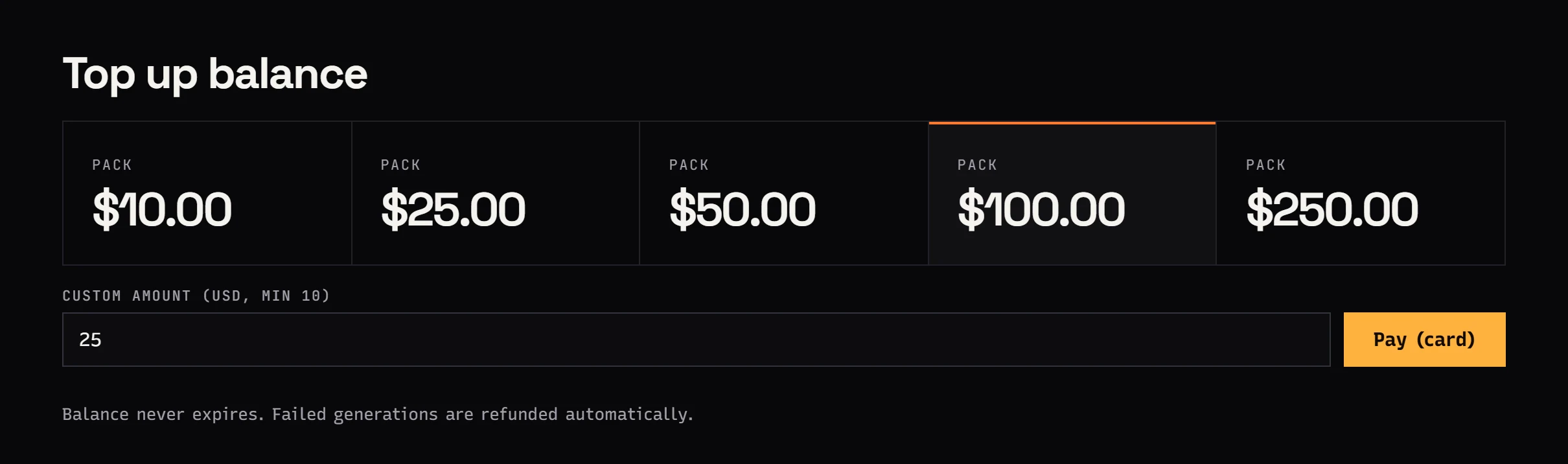
Top up from the dashboard with a $10, $25, $50, $100 or $250 pack, or a custom amount from $10. There is no subscription and no minimum commitment.
How much does a finished video cost? Add up the seconds of every shot, including retries. Four 5-second shots with one retry each is about 40 seconds of the model you picked. Every rate per resolution is on the pricing page, and AI video cost per second compares models side by side.
Step 8: download the file
A shot usually takes a minute to a few minutes. You can close the tab; the result lands in your generation history. Download the MP4 as soon as it is ready. The history stays in Studio, but result file links expire after a while, and a local copy is always useful.
What I check in every clip:
- the camera move matches the prompt,
- the character's face and clothes stay consistent through the shot,
- hands and background text are not warped,
- the sound fits the picture.
If something is off, I change one thing in the prompt and generate again.
Making a short AI video from several shots
A short video is not one long prompt. It is a few shots that belong together. My process:
- Shot list. 3-6 shots, one sentence each. A chat model helps here, and Studio has chat models on the same balance.
- Start frames. I generate a still for each shot with an image model. A still costs cents, a second of video much more, so I fix composition on stills.
- Image to video. I animate each still as a first frame. The character looks similar across shots because every shot starts from the same set of images.
- Music. I make a track with Mureka V9 ($0.124 per song) or use licensed library music.
- Edit. Shots, music and captions go together in CapCut, DaVinci Resolve or Premiere.
Step 3 is covered in detail in the image-to-video guide, and a full product-ad workflow is in AI product ad workflow.
The same thing with the API
If you want to generate videos from code, the same account and balance work in the API:
curl https://jantaris.com/v1/generate \
  -H "Authorization: Bearer $JANTARIS_API_KEY" \
  -H "Content-Type: application/json" \
  -d '{
    "model": "seedance-2.5",
    "input": {
      "prompt": "A slow dolly shot through a rainy neon night market, a woman in a yellow raincoat buys tea from a street stall, steam rising, reflections on wet asphalt, cinematic",
      "duration": 5,
      "resolution": "720p",
      "aspect_ratio": "9:16",
      "generate_audio": true
    }
  }'
The response returns a task id and estimated_cost. Collect the file with GET /v1/tasks/{id} or a webhook. A complete Python walkthrough is in the Seedance 2.5 API guide.
FAQ
How do I make an AI video for free?
Jantaris has no free tier or starter credits; the minimum top-up is $10. Some model vendors offer limited free trials in their own apps. On Jantaris you only pay for successful generations, and the balance never expires.
How much does one minute of AI video cost?
Sixty seconds times the model's rate, for example Seedance 2.5 is from $0.261 per second, plus whatever retries you need. A single clip tops out at 8-30 seconds depending on the model, so a minute of video is several clips edited together.
How long does it take to generate an AI video?
Usually a minute to a few minutes per shot. Longer clips and higher resolutions take longer. You do not need to keep the tab open.
Can AI video models generate speech?
Some can. Kling 3.0 generates dialogue with lip sync when audio is on, and Seedance 2.5, MiniMax H3 and Wan 3.0 generate speech, effects and music described in the prompt. Results vary by language, so test a short clip first.
Can I use AI videos commercially?
Usage rights for outputs are set by each model's vendor terms and the service terms. Check them before client work, and never use a real person's likeness without consent.


