











AI YouTube Thumbnails - Layout, Text and Your Own Face
How to make YouTube thumbnails with AI: 1280x720 output, short readable text, editing your photo via image_urls, models that spell reliably, batch cost.
 Piotr Olszewski2026-10-027 minPolski
To make a YouTube thumbnail with AI, generate a 16:9 image with one clear subject and two or three words of text, check it at phone size, then scale it to 1280x720. For text, pick a model that spells reliably: Nano Banana Pro (from $0.0747 per image) and GPT Image 2.5 ($0.0432 per image) made no spelling errors in my tests, including Polish accented letters. Below: results from my readability test, a prompt template, how to put your own face on the thumbnail, and what a batch for a whole season costs.
What YouTube accepts
YouTube recommends 1280x720 pixels (16:9), at least 640 px wide, as JPG, PNG or GIF. Check YouTube Help for the current file-size limit and for the account requirements for custom thumbnails, since those rules change.
Image models rarely return exactly 1280x720, so I generate at 16:9 and resize at the end:
| Model | How to get 16:9 | Notes |
|---|---|---|
| Nano Banana Pro | aspect_ratio: "16:9", resolution: "1k" | 1K at 16:9 is about 1376x768, plenty for a thumbnail |
| Nano Banana 2 | aspect_ratio: "16:9", num_images up to 4 | several variants per request |
| GPT Image 2.5 | "1536x1024" (3:2) | no 16:9 preset in Jantaris; crop the 3:2 result to 16:9 |
| Z-Image Turbo | aspect_ratio: "16:9" | cheap for layout drafts |
One ffmpeg command scales and crops to exactly 1280x720:
ffmpeg -i thumbnail.png -vf "scale=1280:720:force_original_aspect_ratio=increase,crop=1280:720" -q:v 2 thumbnail.jpgMy test: readability on a phone
In September 2026 I generated six 16:9 thumbnails with short Polish captions for my blog promptowy.com and judged each one after shrinking it to 320 px wide, roughly the size of a suggested-video tile on a phone. I used the image tool built into a chat app, which does not reveal the model version. The write-up (in Polish) is here.
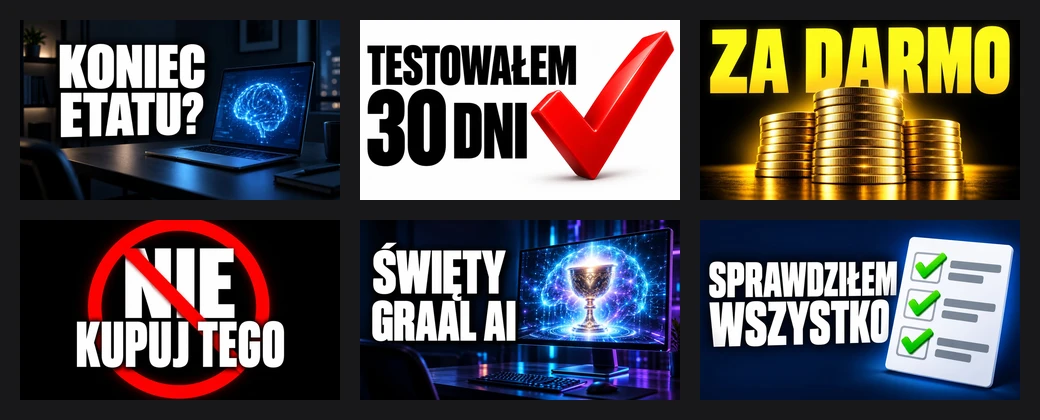
Result: three very good, three good, none unreadable. What I took from it:
- Short text wins. All three "very good" ratings went to two- and three-word captions ("KONIEC ETATU?" means "End of the 9-to-5?"). The longest caption, "SPRAWDZIŁEM WSZYSTKO" ("I checked everything"), was correct but cramped.
- The background has to back off. A glowing monitor behind the letters competed with the text and cost a grade, even though the lettering was perfect.
- Graphics must not cross the letters. In the first "NIE KUPUJ TEGO" ("Don't buy this") version, the prohibition sign cut through the words. Moving it to the side fixed it.
- Accented letters were fine. Ł, Ś and Ę rendered correctly wherever they appeared.
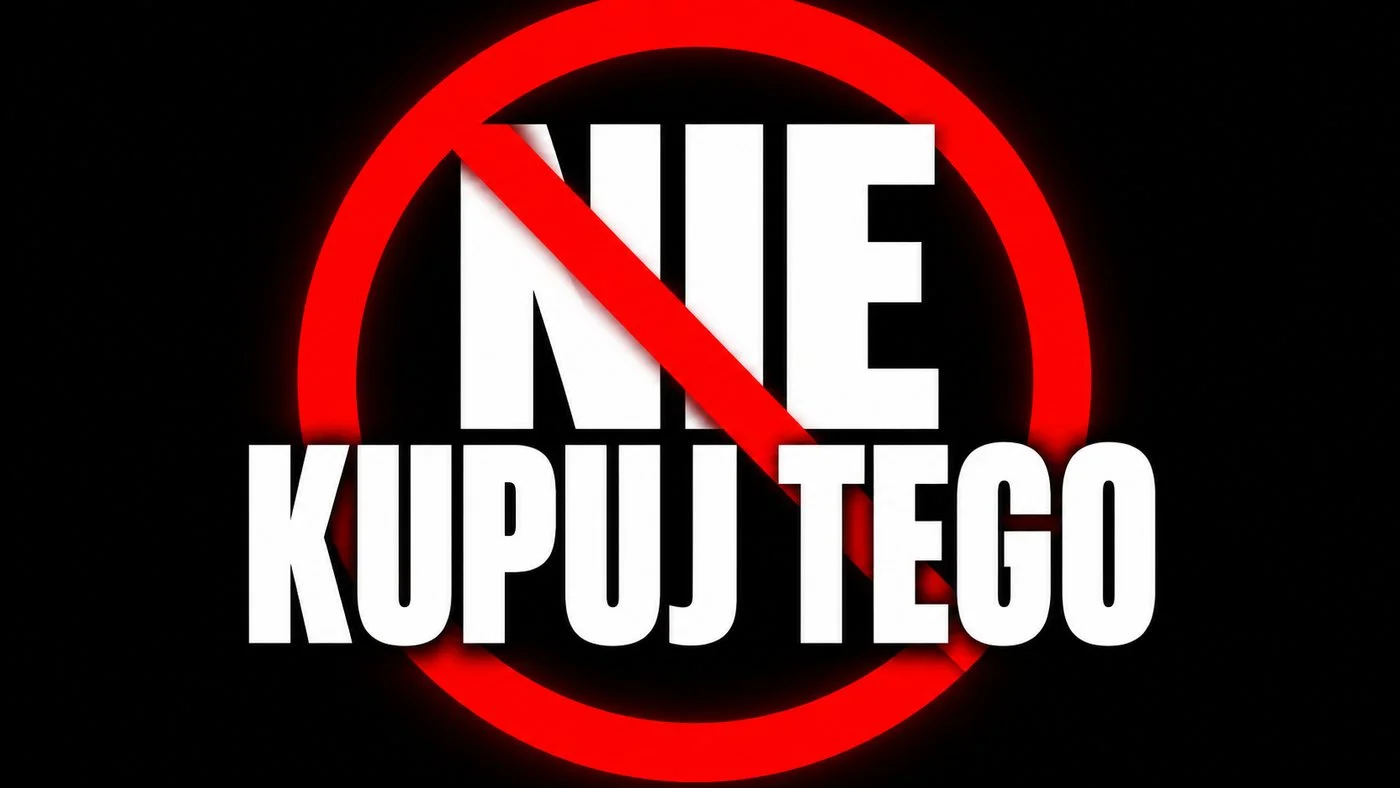
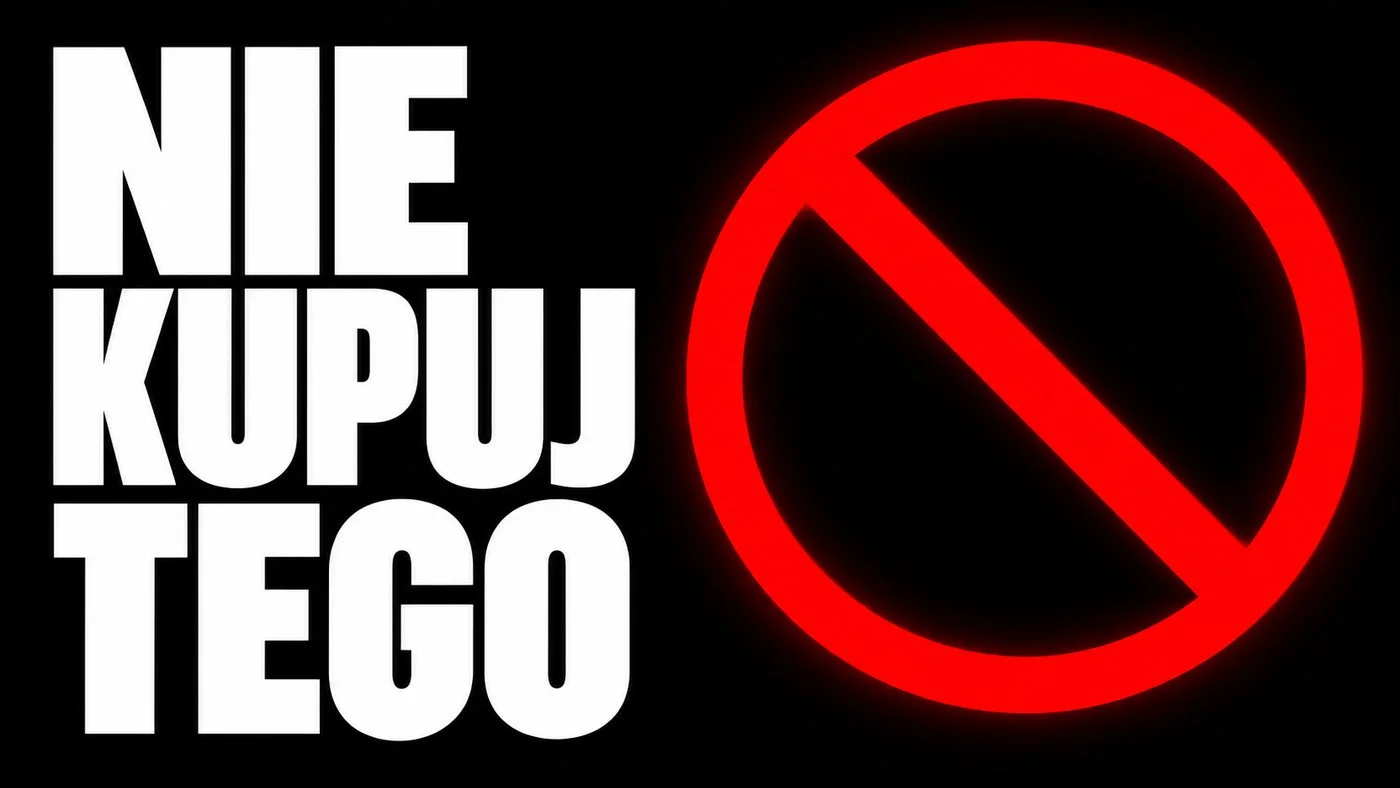
This is a visual judgment of six images from one run, not a click-through measurement. Only a thumbnail A/B test in YouTube Studio tells you what your viewers actually click.
Layout: one subject, one line of text
A thumbnail has about a second to get noticed. The layout I use:
- One main subject in one half of the frame: a face, a product or a symbol.
- Text in the other half, two or three words, heavy sans-serif, high contrast (white on black, black on white, yellow on navy).
- Empty bottom-right corner, where YouTube puts the video length.
- A simple background: blurred, dark or flat. Detail disappears at 320 px.

Face plus text
An expressive face is the most common thumbnail motif. My test had no faces, so I have no measurements of my own on face-plus-text layouts. What carried over from the text-only results: never let the face and the words overlap, and say so in the prompt.
A starting prompt:
YouTube thumbnail, 16:9. Left half: bold white condensed sans-serif text,
exactly "I TESTED IT FOR 30 DAYS", two lines, huge letters, thick black outline.
Right half: a large glossy red check mark. Plain white background, studio light.
Nothing overlaps the text. No other text, no logos. Keep the bottom right corner empty.
The rules for in-image text (quotes, "exactly", length, proofreading) have their own guide: AI text in images.
Which model spells correctly
Spelling mistakes are still the most common flaw in AI thumbnails, and accented letters make it worse. I run a recurring typography test on promptowy.com with Polish text, which is a hard case because of letters like Ż, Ł and Ę. In August 2026, GPT Image 2 and Nano Banana 2 passed a shop sign, a festival poster and a neon pangram without a single wrong character. Seedream 5.0 Pro and Qwen-Image-3 added accents where none belong, and FLUX.2 [pro] dropped them. Full results: typography test (Polish).
| Model | Text accuracy in my tests | For thumbnails |
|---|---|---|
| Nano Banana Pro | no errors (sign, four-line poster) | first choice, best overall images |
| Nano Banana 2 | no errors in August and September | variants, up to 4 per request |
| GPT Image 2.5 | sign correct in all six settings | cheapest of the three |
| FLUX.2 [pro] | wrong or missing accents | image only, add text in an editor |
| Z-Image Turbo | English fine, Polish accents wrong | layout drafts |
The side-by-side comparison with boards and scores is in GPT Image 2.5 vs Nano Banana Pro vs FLUX.2.
Your own face: editing a photo with image_urls
Instead of generating a stranger, give the model your own photo. In Jantaris that is the image_urls field (in Studio: Reference images (URLs), with an Upload file button). Nano Banana Pro accepts up to 14 images, GPT Image 2.5 up to 16.
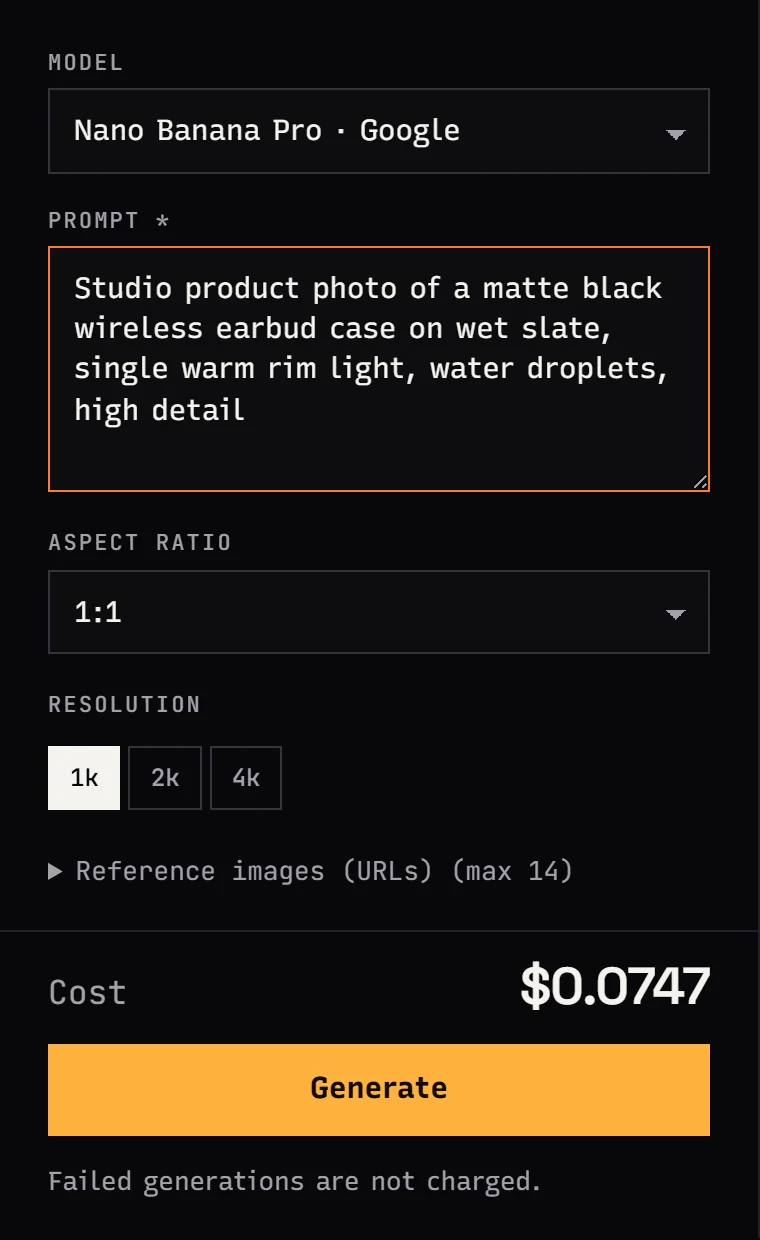
My routine:
- Pick a sharp, well-lit photo with the expression you want. Models keep an existing expression more reliably than they invent one.
- Upload it as the first reference. Add your product or channel logo as further images if needed.
- Set
aspect_ratio: "16:9"explicitly. Without it, Nano Banana Pro inherits the ratio of the first reference, so a vertical selfie gives a vertical thumbnail. - In the prompt, state what stays the same and what is new.
curl "https://jantaris.com/v1/generate?wait=60" \
  -H "Authorization: Bearer $JANTARIS_API_KEY" \
  -H "Content-Type: application/json" \
  -d '{
    "model": "nano-banana-pro",
    "input": {
      "prompt": "YouTube thumbnail. Use the person from the first image, keep the face, hair and glasses exactly the same, surprised expression. Person on the right half, looking at the camera. Left half: bold yellow text exactly \"IS IT FREE?\" on a dark navy background. Nothing overlaps the text.",
      "image_urls": ["https://example.com/my-photo.jpg"],
      "aspect_ratio": "16:9",
      "resolution": "1k"
    }
  }'
Check the result for identity drift (eyes, nose and jawline move first), letter-perfect text, and nothing covering the words. Keeping the same face across a whole series is covered in consistent characters in AI video. Use other people's photos only with their permission.
What a thumbnail batch costs
Every delivered image is billed; failed generations cost nothing. An example for ten episodes:
| Step | Model | Images | Cost |
|---|---|---|---|
| Layout drafts | Z-Image Turbo | 10 × 3 = 30 | 30 × $0.02 per image |
| Text variants | Nano Banana 2 | 10 × 4 = 40 | 40 × from $0.07 per image |
| Final with your face | Nano Banana Pro | 10 × 2 = 20 | 20 × from $0.0747 per image |
The lean version skips drafts and does everything in GPT Image 2.5: ten episodes with three tries each is 30 × $0.0432 per image, and the price does not change with the quality setting. "From" means higher resolutions cost more, but the lowest tier is enough for a thumbnail. Full rates are on the pricing page; top-ups start at $10 and the balance does not expire.
FAQ
What size is a YouTube thumbnail?
1280x720 pixels, 16:9, at least 640 px wide. Generate at 16:9 and resize the result, for example with the ffmpeg command above.
Which AI image model is best at text on thumbnails?
In my tests Nano Banana Pro, Nano Banana 2, GPT Image 2 and GPT Image 2.5 spelled everything correctly, including accented letters. FLUX.2 [pro] and Z-Image Turbo got accents wrong.
How many words fit on a thumbnail?
Two or three words scored best in my phone-size test. Longer text forces smaller letters, which stop being readable on a phone.
Can I put my own face on an AI thumbnail?
Yes. Upload your photo as a reference image (image_urls) in Nano Banana Pro or GPT Image 2.5, set 16:9, and tell the model to keep the face unchanged. Check the result closely, because features can shift slightly.
Can I make AI thumbnails for free?
Not on Jantaris: there is no free plan or signup credit, you pay from the first image, and the minimum top-up is $10. The balance never expires and failed generations cost $0. Vendor apps such as Gemini and ChatGPT offer limited free image generation on their own terms.
How do I check if a thumbnail is readable?
Shrink it to 320 px wide and look at it from arm's length. If the text or the main subject blends in, simplify the background or cut words.


